
Getting Started
Open the app, tap a button, get spinning. Here's the lay of the land.
Your first launch
The first time you open Spin Savvy, you'll land on the home screen. There's no signup, no account creation, no email to verify. The app is yours to explore right away.
Behind the scenes, two small things happen the first time you launch (and again every time you reopen the app):
- The app sets up its local storage so it can remember your strategies and play history.
- It quietly checks the Spin Savvy server in the background and downloads any strategies that other players have shared with the community.
You don't have to do anything for either step. They happen on their own. If they're slow or you're offline, the app still works; community strategies will show up the next time you have a connection.
The home screen
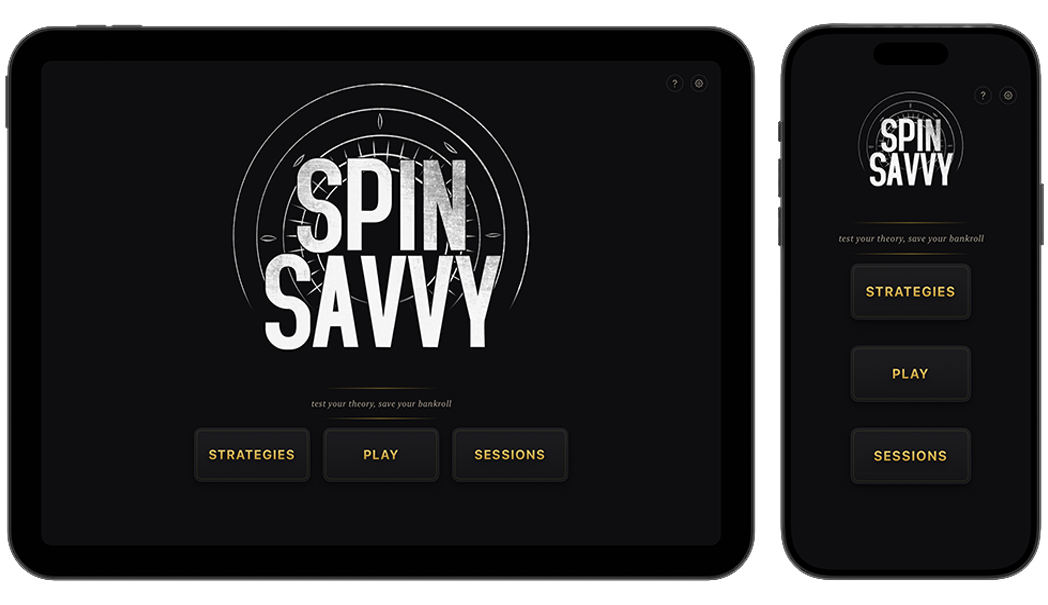
The home screen is deliberately simple. There are only five things on it:
The three main buttons
-
Strategies. Browse every strategy you have on your device. This includes any you've built yourself plus any you've downloaded from the community. From here you can create new strategies, edit existing ones, favorite the good ones, and share your own with other players.
Read the Strategies guide → -
Play. Jump straight into a live roulette session. You can play freely (just placing chips and spinning the wheel) or pick a strategy to follow along with. Every spin you take is recorded so you can review it later.
Read the Play Mode guide → -
Sessions. Your full history of every Play Mode session, with charts of your bankroll over time and a spin-by-spin breakdown of what happened.
Read the Sessions guide →
The help icon
In the top-right corner, just left of the gear, is a small question mark (?). Tap it to open this user guide right inside the app, so you can look something up without leaving Spin Savvy. Tap Done when you're finished and you'll be back where you started.
The gear icon
To the right of the help icon is a small gear (⚙️). Tap it to open Settings, where you can change your default bankroll, your default unit size, the table type (American, European, or Triple Zero), the table cloth color, your display name for sharing strategies, and a few other things. Read the Settings guide →
It's worth taking a minute to visit Settings before your first session. Setting a comfortable default bankroll and unit size now means you won't have to adjust them every time you start playing.
A quick mental model
Spin Savvy is built around three ideas. Once you understand how they fit together, the rest of the app makes a lot more sense.
1 · A strategy is a recipe
A strategy is a plan for how to bet. It says things like "start with $5 on red, and if you lose, double your next bet." Strategies live in your library. You can build your own, or download one someone else has shared.
2 · A session is one playthrough
When you actually spin the wheel in Play Mode, that's a session. A session has a starting bankroll, a sequence of spins, and an ending result (you walked away up, down, or even). Every Play session is saved automatically. Simulations also play out as sessions, but those are temporary and aren't saved.
3 · A simulation runs many sessions, instantly
Simulation lets you take a strategy and run it through dozens or hundreds of independent sessions in seconds, without having to spin manually. It's the fastest way to see how a strategy actually performs over the long run.
What's free, what's paid
Spin Savvy is free to download and free to use for the basics. A subscription unlocks the deeper features: building your own strategies, running large simulations, viewing your full session history, and a few other goodies. You can read the full breakdown on the Subscription page.
For now, just know that you can absolutely play the app, follow community strategies, and run small simulations without paying anything. Try it that way first and see what you think.
One more thing: the disclaimer
Spin Savvy doesn't involve real money. Spins happen inside the app on a virtual wheel using random number generation. No strategy, in this app or anywhere else, can beat roulette's house edge over the long run. Treat the simulator as a way to learn how strategies behave, not as a recipe for guaranteed wins.
If gambling is causing problems for you or someone close to you, please reach out: call 1-800-GAMBLER, text 800GAM, or visit ncpgambling.org/help-treatment. Help is free, confidential, and available any hour of the day.